
FINAL FANTASY RESONANCE Devices and inputs
Full controller support, DualSense over USB, keyboard-only, Steam Input — no invented button maps.
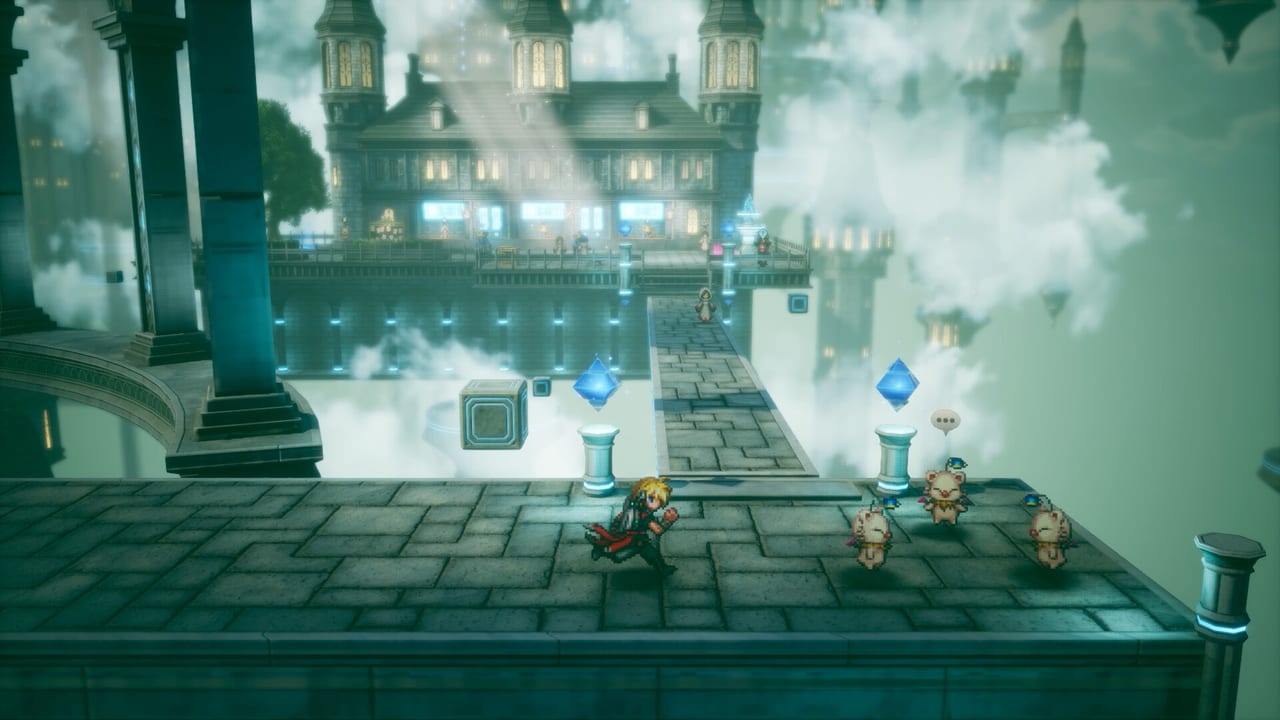
FINAL FANTASY RESONANCE is a single-player turn-based HD-2D RPG. Combat uses a timeline, not ATB, and Square Enix has not required timed button inputs to land a hit. That combination means the control question is which device you prefer, not whether you can pass a rhythm check. This page stays inside what is confirmed: full controller support, DualSense over USB, a keyboard-only option, Steam Input, Steam Cloud, Steam Deck Verified status, and adjustable difficulty. It does not invent face-button maps, D-pad charts, or a fake screenshot of the options menu.
If a prompt in Chapter 1 is unclear, open the in-game device screen first. The wiki will catch up when Square Enix publishes a public map. Until then, learn the actions by name. Pair this page with Getting Started and the Combat Guide. The Guides Hub indexes the rest.
What Square Enix has confirmed
Every launch platform — Nintendo Switch, Switch 2, PlayStation 5, Xbox Series X/S, and Windows through Steam and the Microsoft Store — is built around a controller. Full controller support is the baseline, not a PC afterthought. On PlayStation 5, DualSense works over USB. On Steam, Steam Input is supported, which means you can bind a community layout or your own mapping without waiting for this wiki to guess glyphs. A keyboard-only option exists for players who do not want a stick. Steam Cloud covers the Windows Steam path. Steam Deck is Verified.
PC still has a hardware floor: Windows 11, 8 GB RAM, 15 GB of space, DirectX 12, Denuvo. Minimum and recommended GPUs, plus the 1080p30 Low and 1080p60 Highest targets, live on system requirements. This page will not repeat that table. Buy the device you will actually hold on October 22, 2026, because the Chapter 1 demo is playable today and its save transfers on the same platform.
Actions, named without glyphs
On the field you move the party through HD-2D towns and the overworld, inspect NPCs, enter buildings, and step into random encounters. A menu action opens equipment, items, Visions, and system options. A confirm action talks, opens chests, and accepts a battle command. A cancel action backs out of a submenu. A pause or system action brings up settings, including difficulty.
In battle the timeline at the top of the screen runs left to right. On a character’s turn you highlight a command — attack, ability, item, defend, esper, or Resonance when Extra Phase is open — then confirm. A target cycle moves the cursor across enemies or allies. A cancel returns to the command list. Because there is no ATB and no timed hit, you can sit on a greyed command and read it. Sweeping Stagger and Vision Resonance, explained on the Combat Guide, are menu spends, not QTE prompts.
Vision loadouts and the ability cost cap, explained on How to Get Visions and Jobs and Abilities, are also menu work. You will enter a Sanctum of Light, walk, confirm, and later clip a learned skill onto another crystal. None of that requires a published button letter.
Keyboard-only and Steam Input
If you hate analog sticks, use the keyboard-only option Square Enix already named. Expect the usual PC pattern even without a published chart: movement on one cluster, confirm and cancel on another, menu on a third. Do not copy a map from a different HD-2D title and assume it survived Lancarse’s build. Steam Input exists so you can fix a bind without hex-editing. If a Steam Deck session feels cramped, lower difficulty and enlarge UI in the in-game menus rather than hunting a fan-made overlay.
DualSense over USB is the PlayStation path for players who want that pad on PC or who prefer a cable on the console. Wireless details beyond that confirmation are not in the briefings this wiki uses, so we will not promise adaptive-trigger story beats that have not been shown. Full controller support on Xbox and Switch means you can pick up those pads and play; it does not mean this page will guess which face button is confirm in each region.
Difficulty is the accessibility lever
Difficulty is adjustable. Combat does not require timed input. If the timeline looks busy, drop the setting, watch portraits move left to right, and learn stagger on a trash pack. Raise it later. That is a better first-hour plan than downloading a third-party remap. The Chapter 1 demo, covered in the Demo Guide, is the classroom: some level restrictions, three to five hours, save transfer into the retail campaign.
Resonance is still a single-player RPG. There is no second player cursor to bind. Plan one device, one save, one platform. Steam Cloud helps if you move between a desktop and a Deck on the same Steam account; it does not merge a Switch file into PS5.
What not to do with this page
Do not wait for a wiki chart before you start Chapter 1. Do not paste Brave Exvius mobile controls onto an HD-2D build. Do not assume ATB shoulder-button tricks from older mainline entries; there is no ATB. Do not skip Sanctums of Light because a menu felt unfamiliar — walk in, confirm, take the Vision. Edition bonuses claimed from Mitra’s postbox, listed on the Pre-order Guide, are inventory items, not new glyphs.
Party members (Rain, Lasswell, Fina, Jake, Lid, Sakura) and crystals (Cloud, Warrior of Light, Terra, and the rest of the confirmed 26) still use the same confirm key. Side hunts such as Gilgamesh and the Chamber of Arms, previewed on Side Content, will not invent a second scheme. Official storefronts are on Links. Dates are on the release date page. Footage is on trailers. World map names are on the world page.
If a prompt feels unclear in Chapter 1, check the in-game device screen before you hunt a wiki chart. We will not invent glyphs that Square Enix has not published. Bind the actions you actually use, enable the keyboard-only layout if you hate sticks, and let difficulty carry the rest. The timeline does not care which face button you prefer.
Frequently Asked Questions
Quick answers drawn from Square Enix briefings and the Chapter 1 demo.
Will you publish a full button map?
Not until Square Enix publishes one we can cite. This page confirms devices and names actions. It will not guess glyphs. Start Chapter 1 with the in-game device screen and the Demo Guide.
Is there a keyboard-only option?
Yes. Square Enix confirmed a keyboard-only option alongside full controller support, DualSense over USB, and Steam Input. PC hardware lives on system requirements.
Do I need timed button presses in combat?
No. Combat is turn-based with no ATB and no timed input requirement. Difficulty is adjustable. Timeline and stagger are on the Combat Guide.
Does Steam Deck work?
Steam Deck is Verified. Steam Input and Steam Cloud are supported on the Windows Steam path. Play the demo on the device you intend to keep using after October 22, 2026.
Can two people play on one system?
No. FINAL FANTASY RESONANCE is a single-player RPG. Bind one device. Party and Vision systems still assume one player, as on Getting Started and the party page.